
Business Expense & Sales Dashboard
A founder-friendly dashboard for tracking daily sales and expenses, visualising profit, and exporting reports — built so a small business can stop running its books out of disconnected spreadsheets.
Project summary
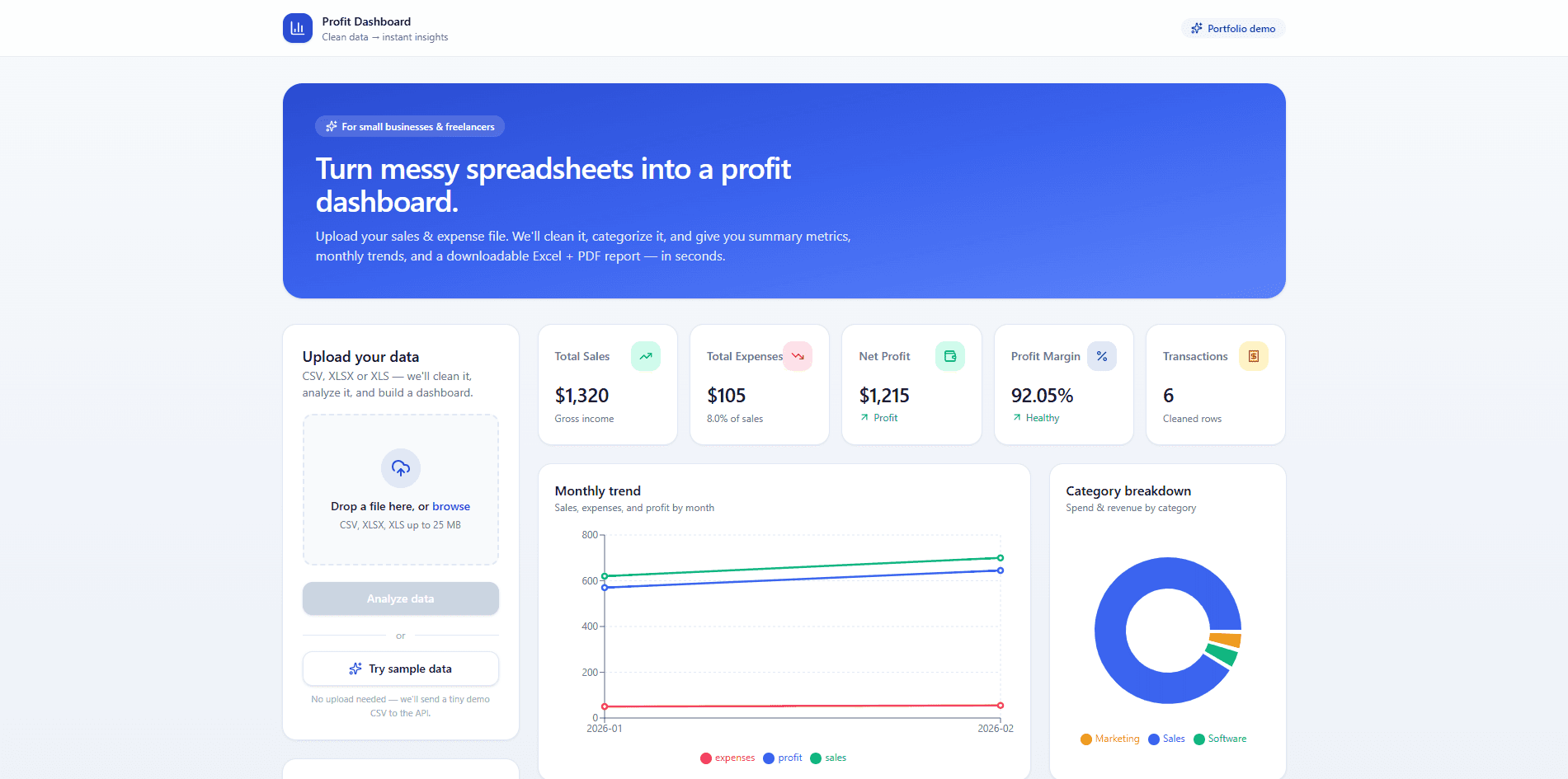
A deployed dashboard application that records daily sales and expenses, calculates profit and category breakdowns, and surfaces simple, decision-ready charts. Designed for a small business owner who wants real-time visibility without learning accounting software.
What was broken
Small businesses often track sales in one spreadsheet and expenses in another. Margins are recalculated by hand at month end, so decisions about pricing, inventory, and spending lag the actual numbers. There is rarely a single place to see whether the business is profitable this week.
What I built
I built a focused dashboard that takes daily sales and expense entries and turns them into live KPI cards and trend charts. The data model is structured so categories, totals, and date ranges are queryable, and the UI is mobile-first so entries can be logged from the field.
What shipped
- Daily sales and expense entry with category tagging
- Live KPI cards: revenue, expenses, gross profit
- Charts for revenue vs. expense trends and category breakdown
- Date-range filtering for weekly, monthly, and custom views
- Mobile-first responsive UI for field entry
- CSV-style export for accountant hand-off
What changed for the business
- Brings sales, expenses, and profit into one live view instead of two separate spreadsheets.
- Surfaces category-level breakdowns so the owner can see which expense buckets are growing.
- Lets the team enter data from a phone, which removes the end-of-month spreadsheet cleanup.
- Provides export so the data can be shared with an accountant without re-keying anything.
How it's built
- Next.js App Router frontend rendering KPI cards and chart components from typed query results.
- Data layer designed around a sales table and an expenses table with category and date fields.
- Server-side aggregation calculates totals and trend buckets so the client only renders results.
- Role-aware UI surfaces — owner, manager, staff — read from the same underlying tables.
- Deployed on Vercel with environment variables holding the database credentials.
Why it matters
- Replaces multiple disconnected spreadsheets with one source of truth for revenue and spend.
- Makes profit visible day-to-day instead of waiting for a month-end reconciliation.
- Helps the owner spot expense categories that are eating into margin earlier than before.
- Supports faster decisions on pricing, inventory, and discretionary spend.
Takeaways from the build
- Doing the aggregation on the server kept the client UI fast even with months of entries.
- A simple category model is more useful than an over-engineered chart of accounts for a small operator.
- Mobile-first entry was the most important UX decision — desk-only data entry never gets done.
- Treating CSV export as a first-class feature made the dashboard fit into existing accountant workflows.
Product in production

Let's talk about your version of this.
ServicePro Lead Engine
A full-stack lead capture and management system for service businesses — public contact form, Supabase-backed database, and a protected admin dashboard with status, notes, and CSV export.
AI Lead Tracker CRM
A lightweight CRM dashboard for tracking leads, organising follow-ups, and managing the sales pipeline — built for freelancers and small teams who don't need a full Salesforce-style platform.